Turn your emails into concrete actions.
InboxBriefs detects tasks, deadlines, and important events in your emails, automatically organizes them in your calendar, and connects to your external calendars via an iCal link (Google Calendar, Outlook, Apple Calendar, etc.).
14-day trial, no credit card required
Calendar
Planning
Tasks & calendar
- Atlas client asking for deliverable validation
- Date mentioned in email: Friday
- Reminder set for Thursday at 9am
Your emails become tracked actions
Automatic detection
InboxBriefs highlights tasks, deadlines, and important events in your conversations.
Connected calendar
Group all your actions and sync them with your external calendars via an iCal link (Google Calendar, Outlook, Apple Calendar, etc.).
Timely reminders
Receive email reminders to never miss what actually matters.
InboxBriefs works while you move forward.
Our AI analyzes your emails and transforms key information into ready-to-track tasks or events.
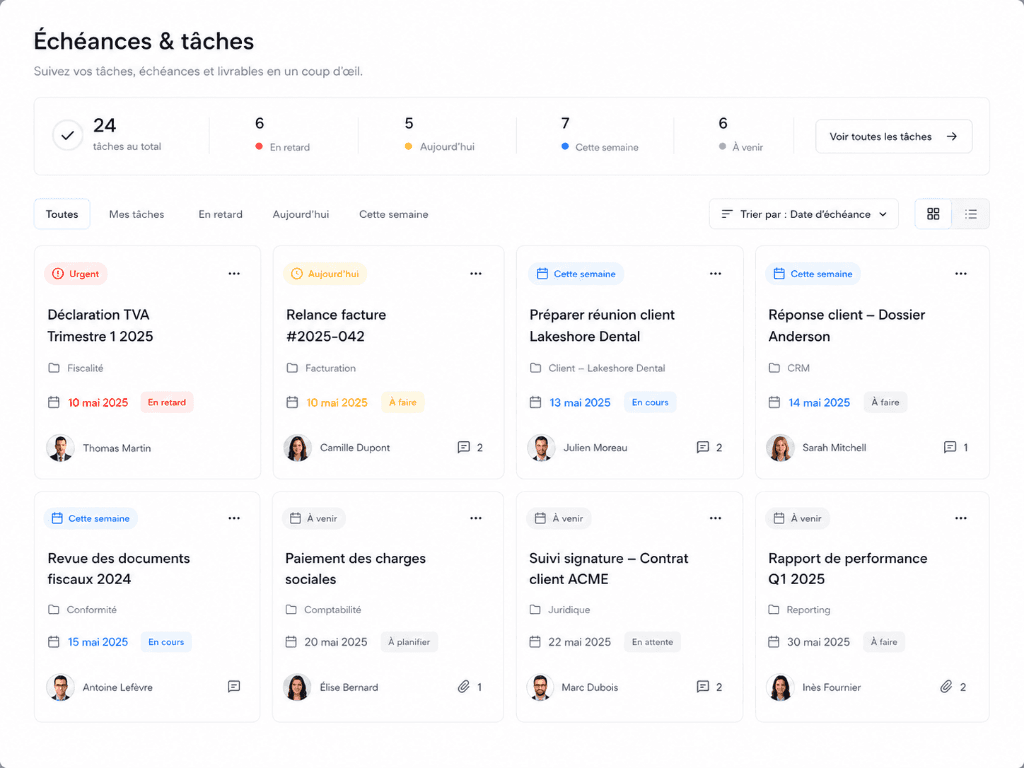
A clear view of everything left to do.
Prioritize, assign, and track each task until completion.
Your connected calendar, always up to date.
View your events and connect your external calendars via an iCal link (Google Calendar, Outlook, Apple Calendar, etc.) to keep everything synchronized.
A deadline under control.
InboxBriefs sends you an email reminder before each important deadline.
Everything you need to stay organized
AI Detection
InboxBriefs reads your emails and extracts the essentials.
Tasks & Deadlines
All your actions in one place.
External Sync
Connect your Google Calendar, Outlook, Apple Calendar, or others via an iCal link.
Email Reminders
Never miss an important deadline.
Editable
Everything can be adjusted at any time.
Frequently Asked Questions
How does InboxBriefs detect tasks?+
Our AI analyzes email content to identify required actions, outstanding questions, and mentioned deadlines.
Can I edit a task or event?+
Yes, absolutely. You can edit titles, assignees, priorities, deadlines, or simply delete what is not relevant.
Are reminders sent by email?+
Yes, you receive an automatic email reminder before the deadline of each important task to stay on top of things.
Can I assign multiple people to a task?+
Yes, completely. InboxBriefs supports single, multiple, or team-wide task assignments.
Does InboxBriefs sync with my external calendars?+
Yes, synchronization via an iCal link with Google Calendar, Outlook, Apple Calendar, and others is available to keep all your schedules in sync.
What happens if I delete an email?+
The created task remains in your InboxBriefs dashboard even if the original email is archived or deleted.
Turn information into action.
Stop searching for what matters. Let InboxBriefs organize your work.
14-day trial, no credit card required