Keep your documents in one place.
InboxBriefs helps teams centralize their documents, files, and useful information in a single space, connected to their daily work.
14-day trial, no credit card required
Documentation
Memory
Notes & documents
- The quote link stays attached to the action
- The note explains the decision made
- The source summary remains accessible
A clear information base for your team
Centralized organization
Group all your documents and files in a single space, structured and easy to browse.
Quick search
Find the document you need in seconds thanks to a powerful and intuitive search.
Team collaboration
Share and comment on your documents to move forward together more effectively.
Dossiers d'équipe
Fichiers récents
| Nom | Source Email | Mis à jour | Taille | |
|---|---|---|---|---|
| Cadrage Sequoia Capital.pdf | Lien Sequoia Partners |  | 4,2 Mo | |
| Plan Q3 Levée de fonds.xlsx | Deck Sequoia Q3 |  | 1,1 Mo | |
| Politique RH Télétravail.docx | Validation RH | | 78 Ko | |
| logo_brief_neon_transparent.png | Design brief final |  | 320 Ko | |
| annexes_contrats_archive.zip | Pièces jointes contrat | | 12,4 Mo |
Travaillez sur vos documents, ensemble.
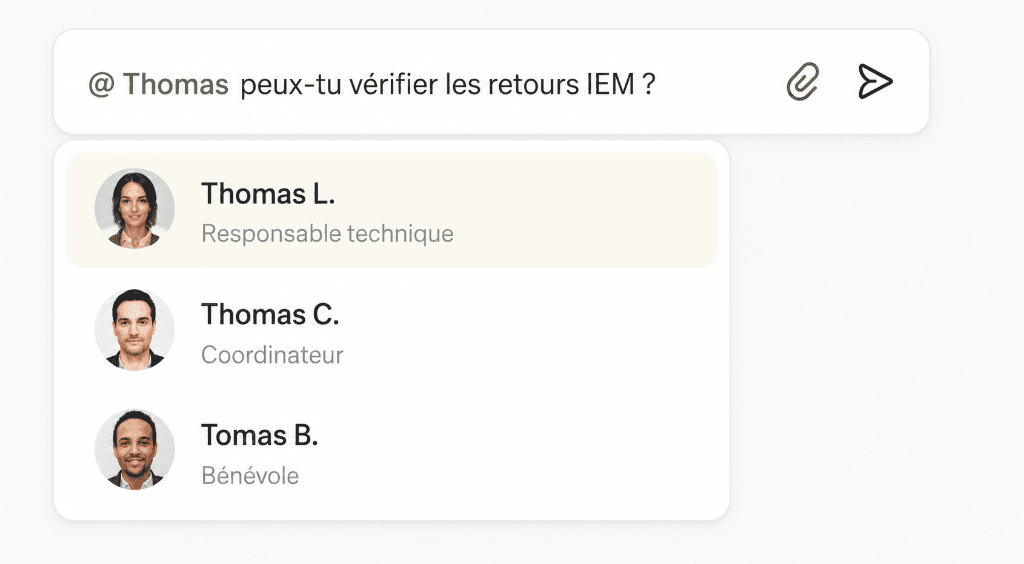
Partagez vos documents et fichiers avec votre équipe, mentionnez vos collègues et suivez les mises à jour en temps réel.
Shared access
Define who can view or comment on each document according to your needs.
Clear history
Consult version history and easily find all modifications.
Always accessible
Access your documents from anywhere, on all your devices.
Everything you need to structure your information
File Sharing
Organize and share your documents with the team.
Team Documents
Store and manage your files in one place, with simplicity.
Quick Search
Find what you need in seconds thanks to search.
Links and Attachments
Add links and attachments for more context.
Workspace Classification
Organize by team, project, or client according to your needs.
Centralized Access
A single access point for all your key information.
Discover other features that complete your work
Frequently Asked Questions
Can we share documents with the team?+
Yes, absolutely. All your documents can be shared with specific members or your entire team by configuring access rights.
What types of documents can I add?+
You can import any useful file: PDFs, text documents, spreadsheets, images, or links to external resources.
Can I find a document quickly?+
Yes, a global search bar searches titles and descriptions to find your information in a flash.
Are notes linked to other spaces?+
Absolutely. You can link any note or document to a received email, a calendar task, or an ongoing discussion.
Are my documents secure?+
Yes, all imported files are encrypted and stored on our secure servers with strict access permissions.
Can I organize my resources by team?+
Yes, you can structure your notes and documents in thematic folders or dedicated spaces by project, client, or team.
Centralize your team's notes and documents.
Centralize your team's documentation to work faster, more serenely, and stay aligned.
14-day trial, no credit card required