This week
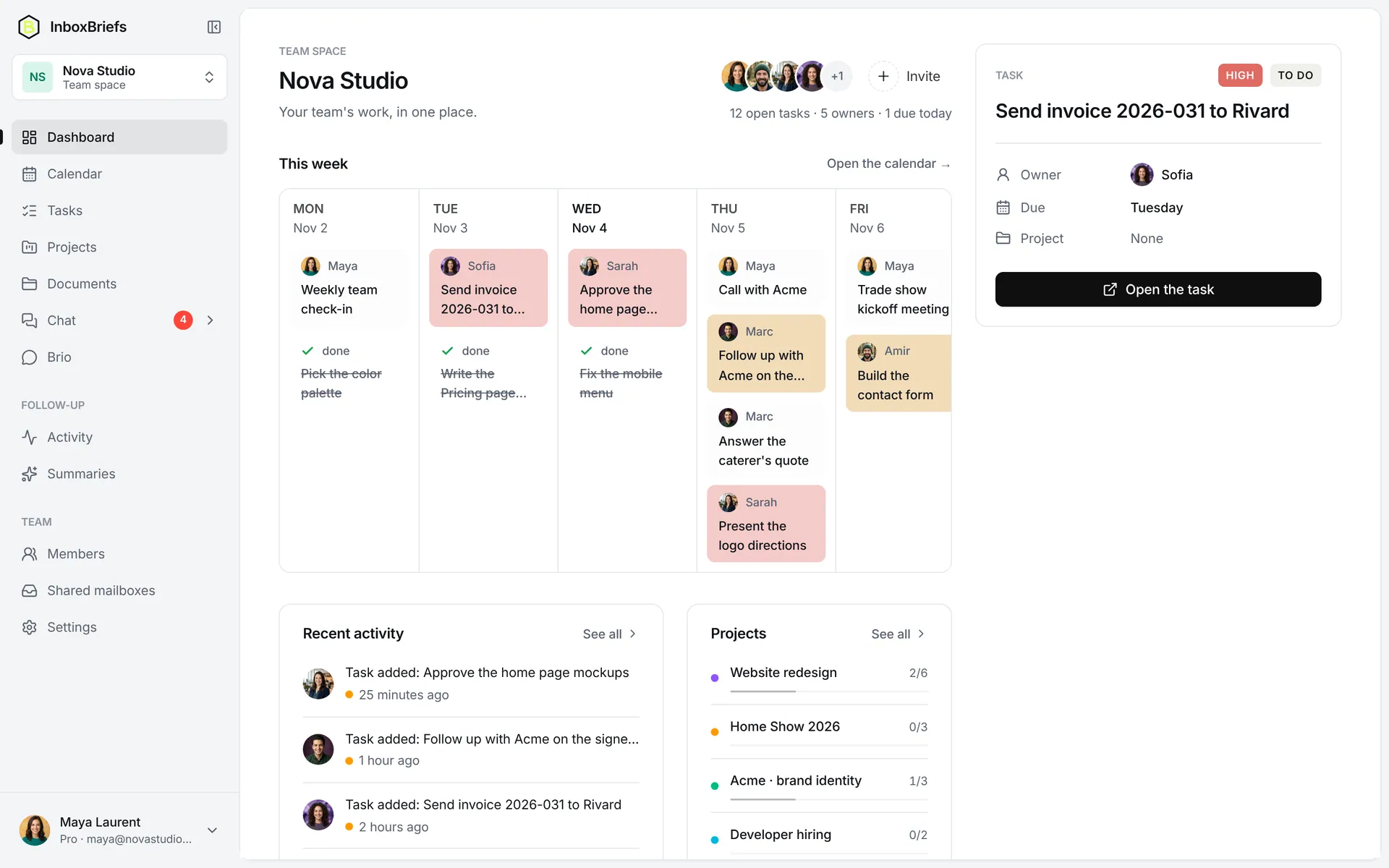
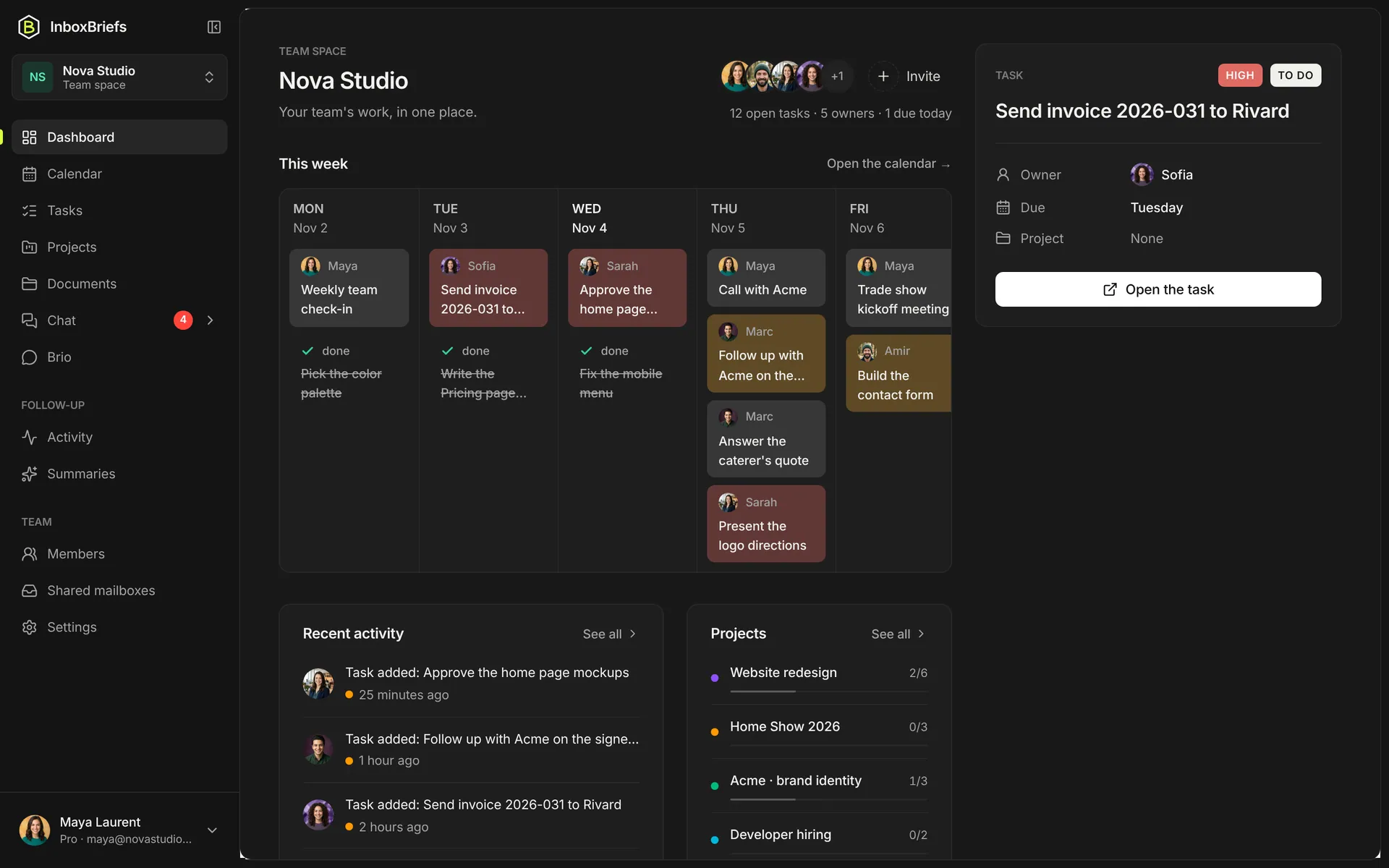
Everyone's tasks and meetings, day by day, with the photo of whoever is on it.
- Monday to Friday
- The project's colour on every card
- One click opens the task
Dashboard
The dashboard shows the whole team's week, what just moved and where the projects stand. No more Monday meeting to find out who does what.
The problem
Tasks live in one tool, deadlines in another, news in the chat. To get the big picture, you have to ask.
Without a dashboard
With InboxBriefs
Everyone's tasks and meetings, day by day, with the photo of whoever is on it.
On the right, the most pressing task: owner, due date, project.
What was just added, completed or assigned, and by whom. Nobody has to announce it.
Each ongoing project with its tasks done out of the total. One click opens its page.
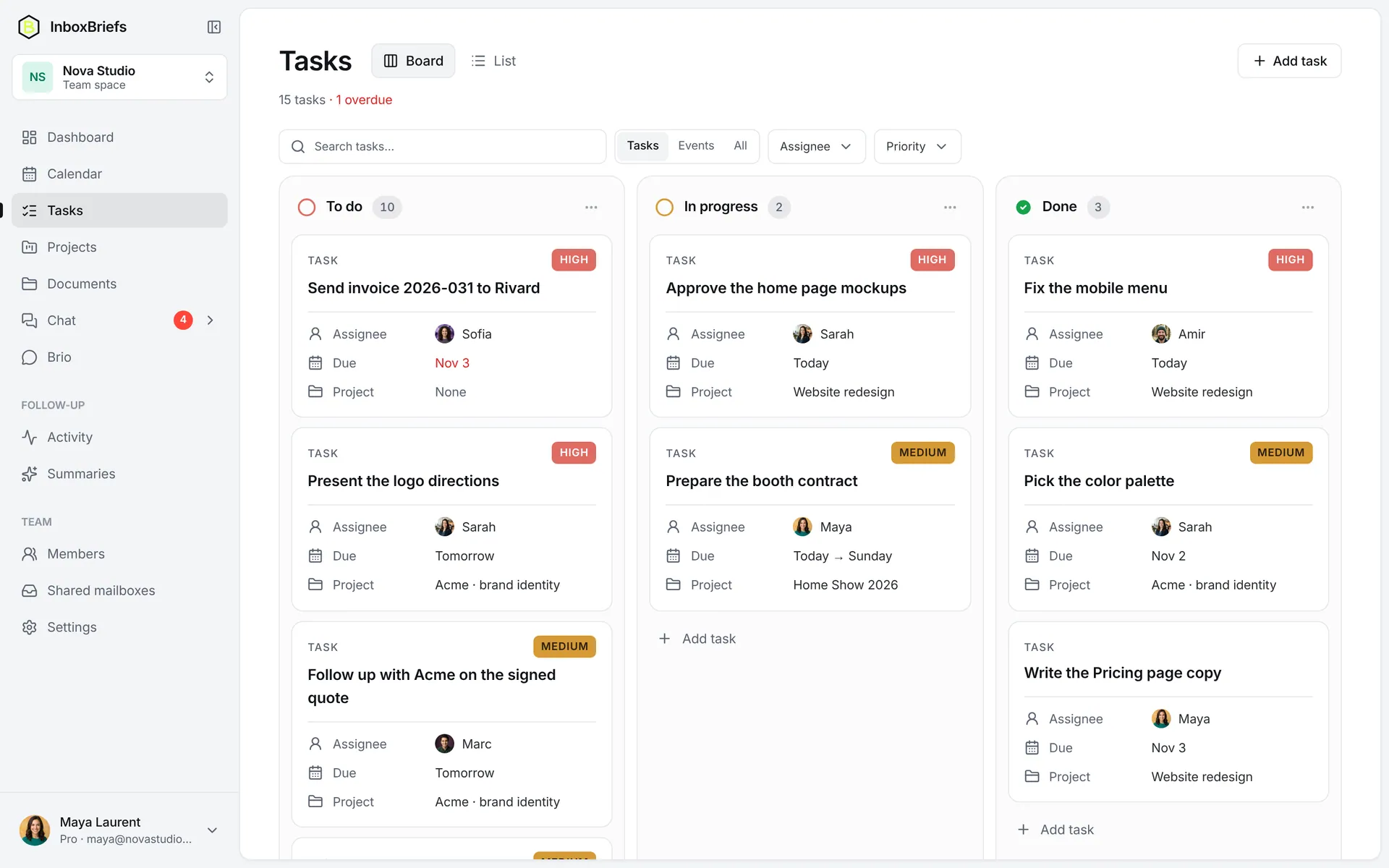
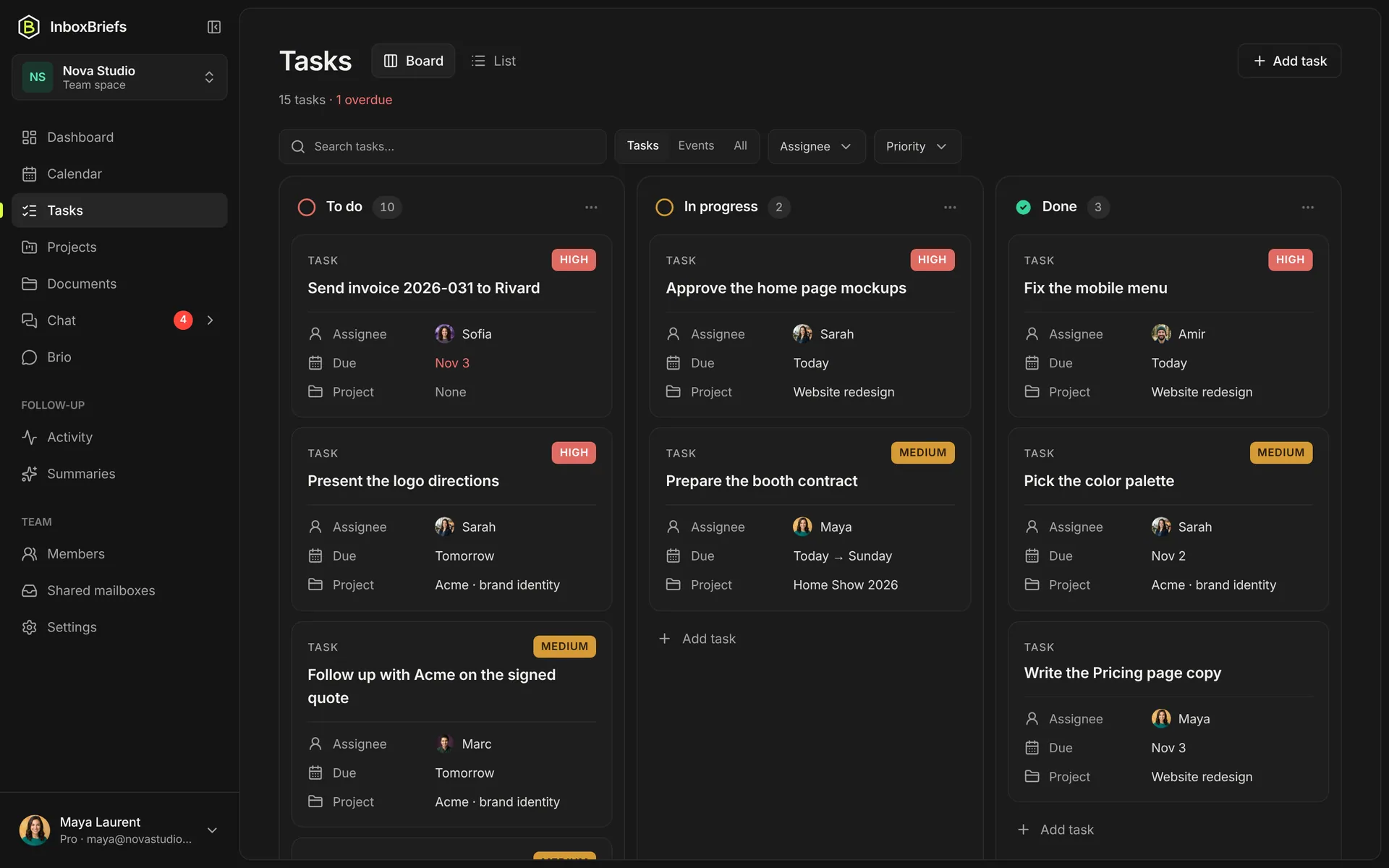
The To do, In progress, Done board, with filters by person and priority.
On your own, your home gathers what needs handling today: your tasks, deadlines, latest summary and projects.
The board by status, to see what moves and drag a card when it's done.
One app
What you just saw is only part of InboxBriefs. Automations, integrations, tasks, projects, docs, chat, calendar, email and AI: one subscription, one app.